Portal tour
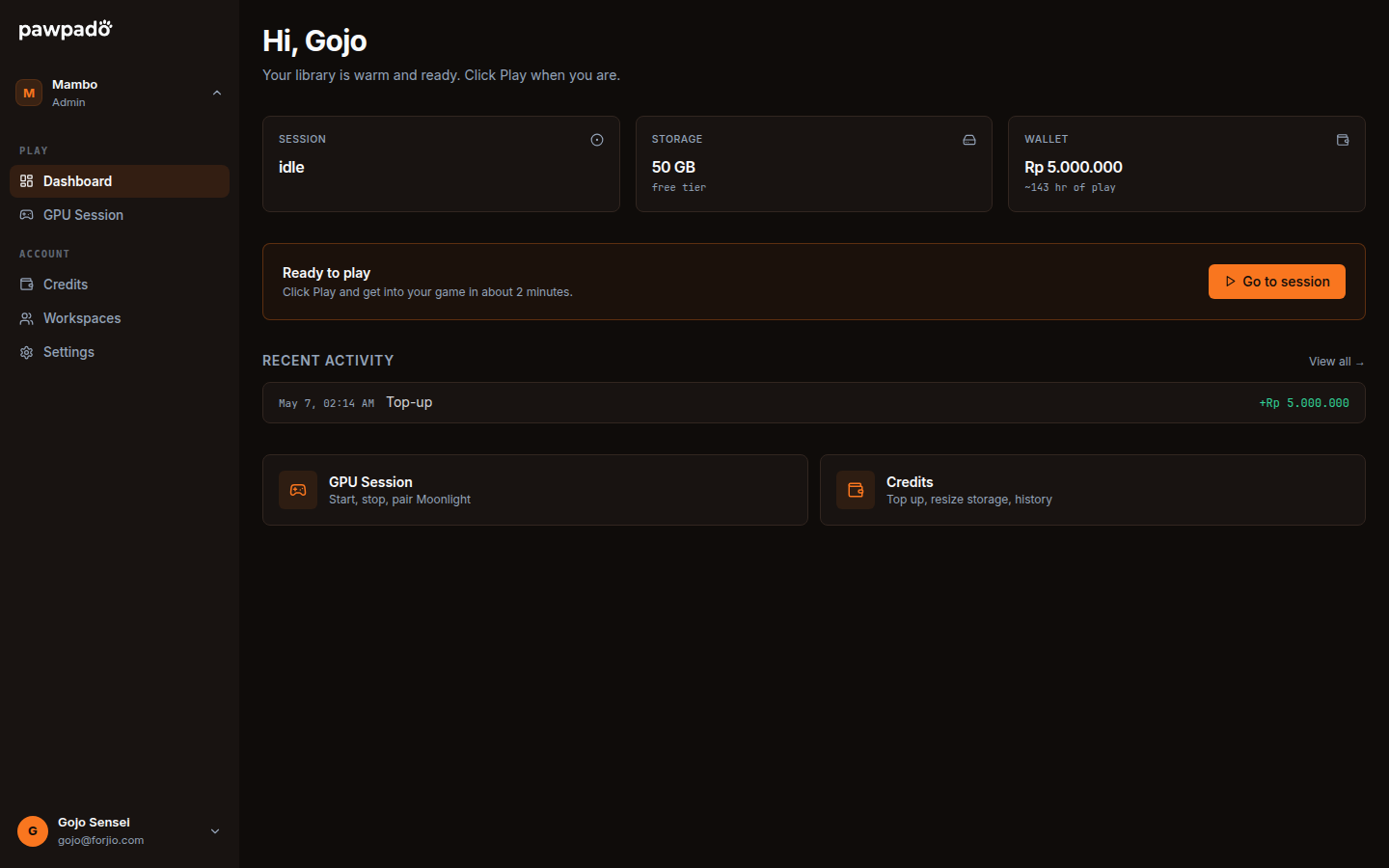
The Pawpado portal at pawpado.com/dashboard is where you control your GPU session, top up credits, and tune your account. This page is a quick tour; per-page details are in the sidebar.
Layout
The portal has three main regions:
- Sidebar (left) — primary navigation. Sections: Session, Credits, Storage, Billing, Settings.
- Top bar — account menu, balance chip, current session state pill.
- Main content — the page you're on.
The sidebar collapses on mobile. On phone-sized screens the session control surfaces as a bottom action bar so Start / Stop is always one tap away.
Status pill
The top bar always shows your session's current state with a colored pill:
| Pill | State | What it means |
|---|---|---|
| Gray "Idle" | idle |
Nothing running. Click Start session to begin. |
| Yellow "Provisioning" | provisioning |
Volume attaching, infrastructure preparing. |
| Yellow "Starting" | starting |
EC2 instance booting. |
| Blue "Running" | running, ready: false |
Instance up, streaming server still registering. Don't pair yet. |
| Green "Ready" | running, ready: true |
Pair and connect. |
| Yellow "Stopping" | stopping |
Shutdown in progress. |
| Red "Failed" | failed |
Something went wrong. Click for details. |
The pill polls every five seconds while a session is active.
Balance chip
Next to the status pill, the balance chip shows your remaining credits and projects how long they'll last at the current compute rate:
Rp 87,500 · ~3h 25m of game time
When the projection drops below 15 minutes the chip turns orange. Below 5 minutes it turns red and we'll surface a top-up prompt before letting you start a new session.
Pages
Session
/dashboard/session — the main control surface. Start, stop, pair, see cost so far. Detailed in Sessions.
Credits
/dashboard/credits — balance, top-up history, per-minute compute rate, usage breakdown. Detailed in Credits.
Storage
/dashboard/storage — size of your EBS volume, what's installed, monthly storage cost, manual cap. The volume grows between sessions but you can set a hard limit if you want budget guardrails.
Billing
/dashboard/billing — invoices for storage-tier charges, top-up receipts (proxied from Plugipay), VAT documents.
Settings
/dashboard/settings — account preferences. Auto-stop timer, region (only Jakarta in v1), preferred hours (roadmap), data-deletion flow.
Common tasks — quick links
| Task | Where |
|---|---|
| Start a session | Session → Start |
| Pair a Moonlight client | Session → Pair |
| Top up credits | Credits → Top up |
| See how much you've spent this week | Credits → Usage |
| Cap auto-grow on storage | Settings → Storage |
| Change auto-stop timeout | Settings → Preferences |
| Delete your account | Settings → Account → Delete |
Keyboard shortcuts
A handful of shortcuts work anywhere in the portal:
| Key | What |
|---|---|
g s |
Go to Session |
g c |
Go to Credits |
g b |
Go to Billing |
g t |
Go to Settings |
? |
Show this shortcut help in-app |
Next
- Sessions — the start/stop/pair flow.
- Credits — balance and top-ups.
- API overview — the same controls, programmatic.